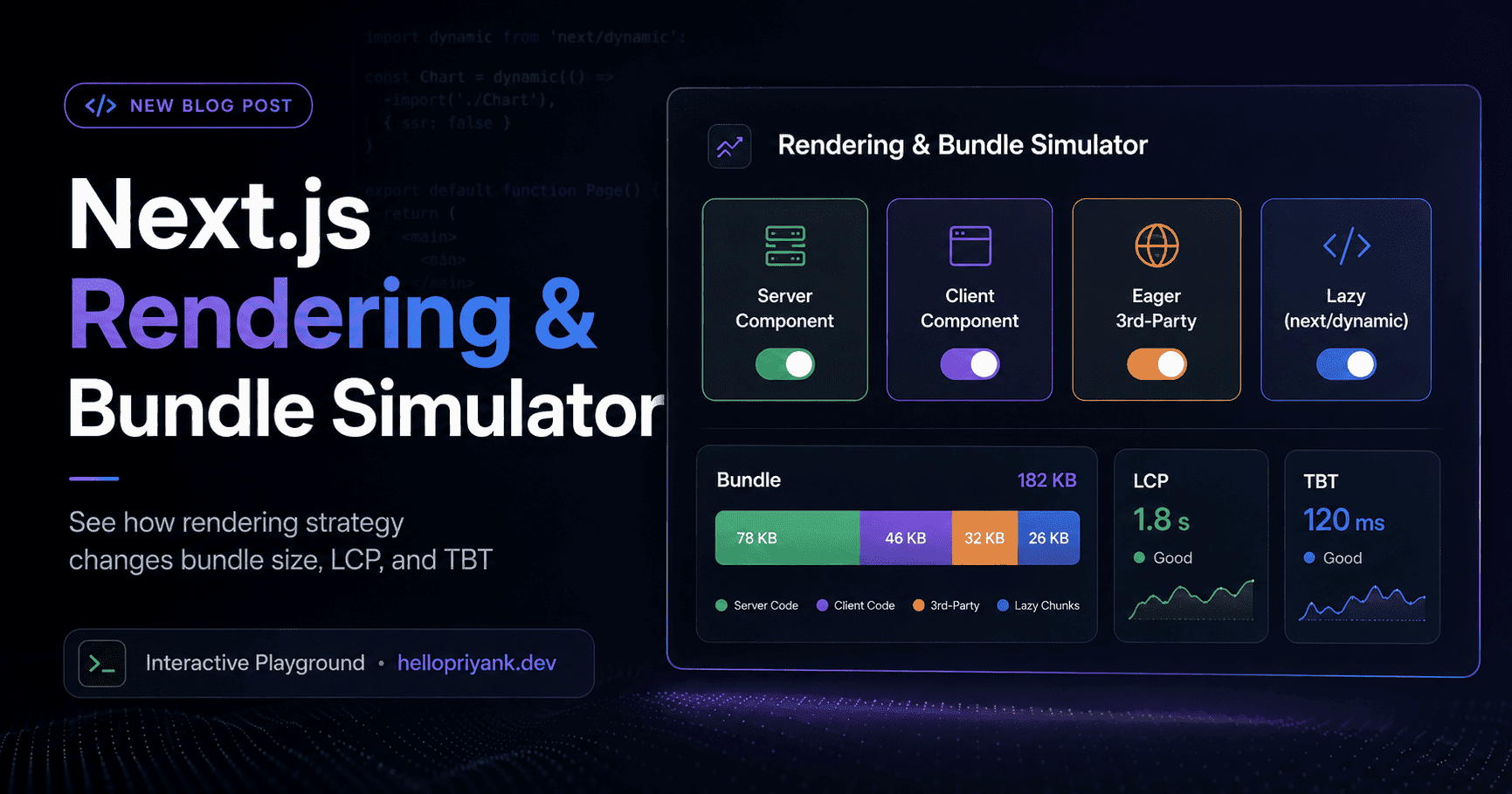
An interactive playground. Pick a heavy component, pick a rendering strategy, and watch how your initial JS payload, LCP, and TBT change in real time. The same code, shipped four different ways.
Every kilobyte of JavaScript you send to the browser has to be downloaded, parsed, compiled, and executed before your page becomes interactive. A single heavy component (a rich text editor, a video player, a charting library) can quietly add hundreds of kilobytes to that bill. The twist: the exact same component can be almost free or brutally expensive depending on how you render it.
So instead of just telling you, let me show you. Pick a component, pick a rendering strategy, and watch the initial payload, LCP, and TBT move. Then read on for why the numbers land where they do.
Next.js Rendering & Bundle Simulator
Bundle Payload
Initial Bundle Deferred Bundle
050100150200250300350Payload Size (KB) →
Simulated Timeline
LCP (Paint)
800 ms
TBT (Blocking)
50 ms
05001000150020002500Simulated Duration (ms) →
Initial JS Payload
0KB
LCP
800ms
TBT
50ms
Component
Strategy
$Rich Text Editor shipped as Server Component. Renders on the server. Ships zero client JS.
💡 Good to Know
The numbers here are a teaching model, not a benchmark. They are calibrated to reflect the real relationships (server rendering ships zero client JS, eager third-party scripts block the main thread, deferring moves weight off the critical path) so the trade-offs are easy to feel. Your production numbers will differ. Measure your own.
When someone opens your page, the browser cannot show a fully interactive UI until it has fetched and run the JavaScript that describes it. That first chunk of JS is your initial bundle. Everything in it is on the critical path: it competes for bandwidth on a phone with two bars of signal, then for main-thread time on a mid-range CPU that is four times slower than your MacBook.
This is why two metrics dominate the simulator above. LCP (Largest Contentful Paint) is when the biggest, most meaningful thing finishes painting. TBT (Total Blocking Time) is how long the main thread was frozen parsing and hydrating your JavaScript, unable to respond to taps and clicks. A fat initial bundle pushes both up.
🎯 Think of it Like This
Think of the initial bundle like carry-on luggage at the gate. Anything you carry on, you carry through security, down the jet bridge, and into the cramped overhead bin. The deferred bundle is checked luggage: it still travels, but it is not slowing you down at the gate. Rendering strategy is just deciding what to carry on versus check.
02Four ways to ship the same heavy component
The simulator offers four strategies for the exact same component. Here is what each one actually does to your bundle and your main thread.
Server Component
The component renders to HTML on the server. Zero JavaScript for it reaches the browser. Fastest paint, near-zero blocking. The catch: it cannot use state, effects, or event handlers.
Client Component (eager)
The whole component ships in the initial bundle and hydrates immediately. Fully interactive, but every kilobyte lands on the critical path and inflates TBT.
Eager 3rd-Party
The component plus a render-blocking third-party script (analytics, chat widget, embed). The worst of both worlds: extra weight and a script that stalls the main thread before paint.
Lazy (next/dynamic)
The component is split into its own chunk loaded after the initial paint, or on interaction. Initial bundle stays tiny, weight moves to the deferred bundle, LCP and TBT stay low.
⚡ Pro Tip
The decision tree is short. Does the component need interactivity? If no, make it a Server Component. If yes, is it needed for the first paint? If no, reach for next/dynamic. Only truly above-the-fold interactive UI belongs eagerly in the initial bundle.
03Server Components: ship zero client JS
In the Next.js App Router, every component is a Server Component by default. It runs on the server, produces HTML, and sends no JavaScript to the browser for its own logic. That is why the simulator reports 0 KB initial payload and an 800 ms LCP for this strategy: the browser paints from ready-made HTML.
app/dashboard/page.tsxtsx
// No "use client" directive = Server Component.
// This renders on the server. Its code never ships to the browser.
import{getStats}from"@/lib/stats";
exportdefaultasyncfunctionDashboardPage(){
conststats=awaitgetStats();// runs on the server
return(
<section>
<h1>Overview</h1>
{/* Static, data-driven markup. Zero client JS. */}
The moment you need useState, useEffect, or an onClick, you cross into Client Component territory and add the "use client" directive. The skill is drawing that boundary as low in the tree as possible, so only the genuinely interactive leaf ships JavaScript, not the whole page.
⚠️ Watch Out
A common mistake: slapping "use client" at the top of a big page component because one button needs an onClick. That opts the entire subtree into the client bundle. Extract the button into its own client component and keep the page on the server.
04next/dynamic: defer the weight you can't delete
Sometimes a component genuinely needs to be interactive, but it is not needed for the first paint. A rich text editor below the fold, a chart in a tab, a modal behind a button. This is where next/dynamic earns its keep: it splits the component into a separate chunk that loads after the initial render. In the simulator, notice how the weight jumps from the Initial Bundle to the striped Deferred Bundle, and LCP and TBT stay low.
app/editor/EditorPanel.tsxtsx
"use client";
importdynamicfrom"next/dynamic";
// The 280 KB editor is NOT in the initial bundle.
// It loads on demand, with a lightweight skeleton in its place.
constRichTextEditor=dynamic(
()=>import("@/components/RichTextEditor"),
{
ssr:false,// client-only widget, skip server render
loading:()=><EditorSkeleton/>,
}
);
exportdefaultfunctionEditorPanel(){
return(
<div>
<Toolbar/>
{/* Renders instantly; the heavy chunk streams in behind it */}
<RichTextEditor/>
</div>
);
}
⚡ Pro Tip
Pair deferring with preloading on intent. Kick off the dynamic import on hover or focus of the trigger, so the chunk is already arriving by the time the user clicks. They get the deferred bundle size with almost none of the perceived wait.
05Third-party scripts: the tax you forgot to budget
Your own code is usually not the villain. Analytics, chat widgets, A/B testing snippets, and social embeds are. Loaded eagerly in the document head, a third-party script blocks the main thread before your content ever paints. That is why the Eager 3rd-Party strategy posts the worst LCP and TBT in the simulator: it stacks extra weight and a render-blocking penalty on top of the component.
Next.js gives you a release valve with the next/script component and its strategy prop. Use it to move non-critical scripts off the critical path.
Audit third-party scripts ruthlessly. Every one is code you did not write, running on your users' devices, on your critical path. If a tag manager lets marketing add scripts without review, your LCP is one campaign away from falling off a cliff.
06Reading LCP and TBT like a performance engineer
The two timeline bars in the simulator map to the two questions users actually feel: "when can I see it?" and "when can I use it?"
LCPLargest Contentful Paintgood: ≤ 1200 ms
When the main content finishes painting. Server rendering and small initial bundles keep it low. Heavy eager JS and render-blocking scripts push it up.
TBTTotal Blocking Timegood: ≤ 200 ms
How long the main thread was blocked, unable to respond to input. This is the lab proxy for INP. Hydrating big client components is the usual culprit.
Go back to the simulator with this lens. Ship the Rich Text Editor as a Server Component and both bars stay green, but you lose interactivity. Ship it eagerly on the client and TBT turns red. Wrap it in next/dynamic and you buy back a green timeline while keeping the interactivity. That trade, made component by component, is most of front-end performance work.
Wrapping Up
The same heavy component can cost you 0 KB or 340 KB on the critical path. The code barely changes. The rendering strategy is what moves the numbers. Here is the playbook the simulator is really teaching:
01
Default to Server Components
Only opt into the client when you actually need interactivity.
02
Keep the boundary tight
Add "use client" at the smallest leaf, never the whole page.
03
Defer what isn't critical
Wrap interactive-but-below-the-fold components in next/dynamic.
04
Tame third-party scripts
Load them via next/script with afterInteractive or lazyOnload.
05
Know your two metrics
LCP answers "when can I see it", TBT answers "when can I use it".
06
Measure, don't guess
This simulator builds intuition; Lighthouse and RUM build proof.
Scroll back up, set it to Eager 3rd-Party, then flip to Lazy. Same component, half a second of LCP and over a second of blocking time, gone. That is the whole game.