React re-renders because its job is to keep your UI in sync with your data. That sounds peaceful and responsible, like a tiny accountant for pixels. But when your console starts logging render twenty-seven times because you clicked one innocent button, it can feel less like accounting and more like your component tree discovered caffeine.
The good news: re-renders are not mysterious. React is not randomly waking components up at 3 AM to ask if they have thought about their life choices. There are specific triggers, a specific pipeline, and a few common patterns that make re-renders either harmless, useful, or wildly dramatic.
This post is a practical mental model for why React re-renders, what actually happens during a render, when you should care, and how to fix the re-renders that are doing push-ups on your main thread for no good reason.
01Render does not mean DOM update
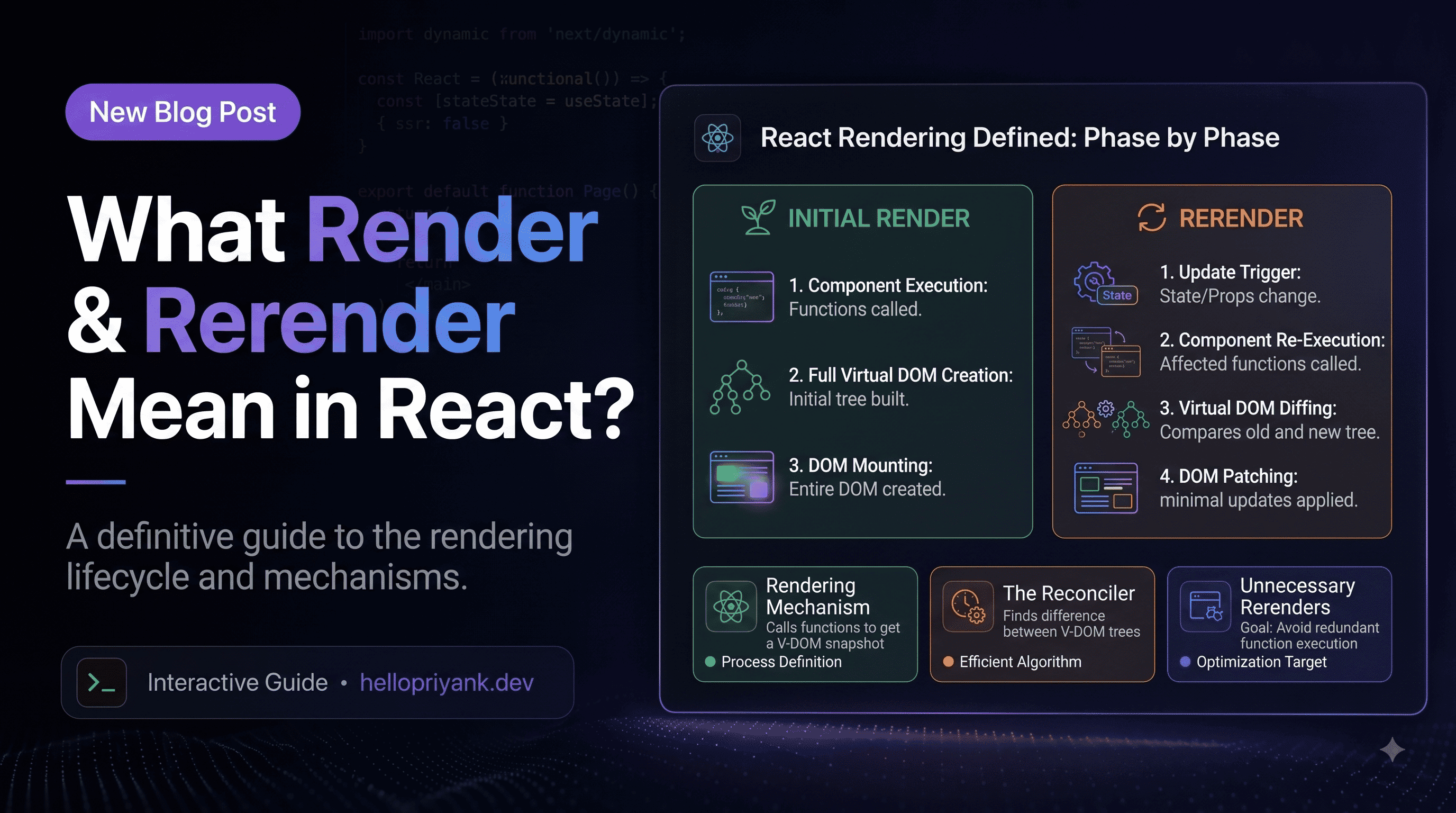
The first trap is the word "render." In React, render usually means "call the component function and calculate what the UI should look like." It does not automatically mean "change the DOM."
Think of render as React asking, "If the app state is this, what should the screen be?" Your component returns JSX, React builds a new description of the UI, then compares it with the previous description. Only if something actually changed does React commit updates to the DOM.
Every click schedules a state update. React calls Counter again. That is the render phase. Then React sees the text changed from Count: 0 to Count: 1 and commits that text update to the DOM.
02The four big re-render triggers
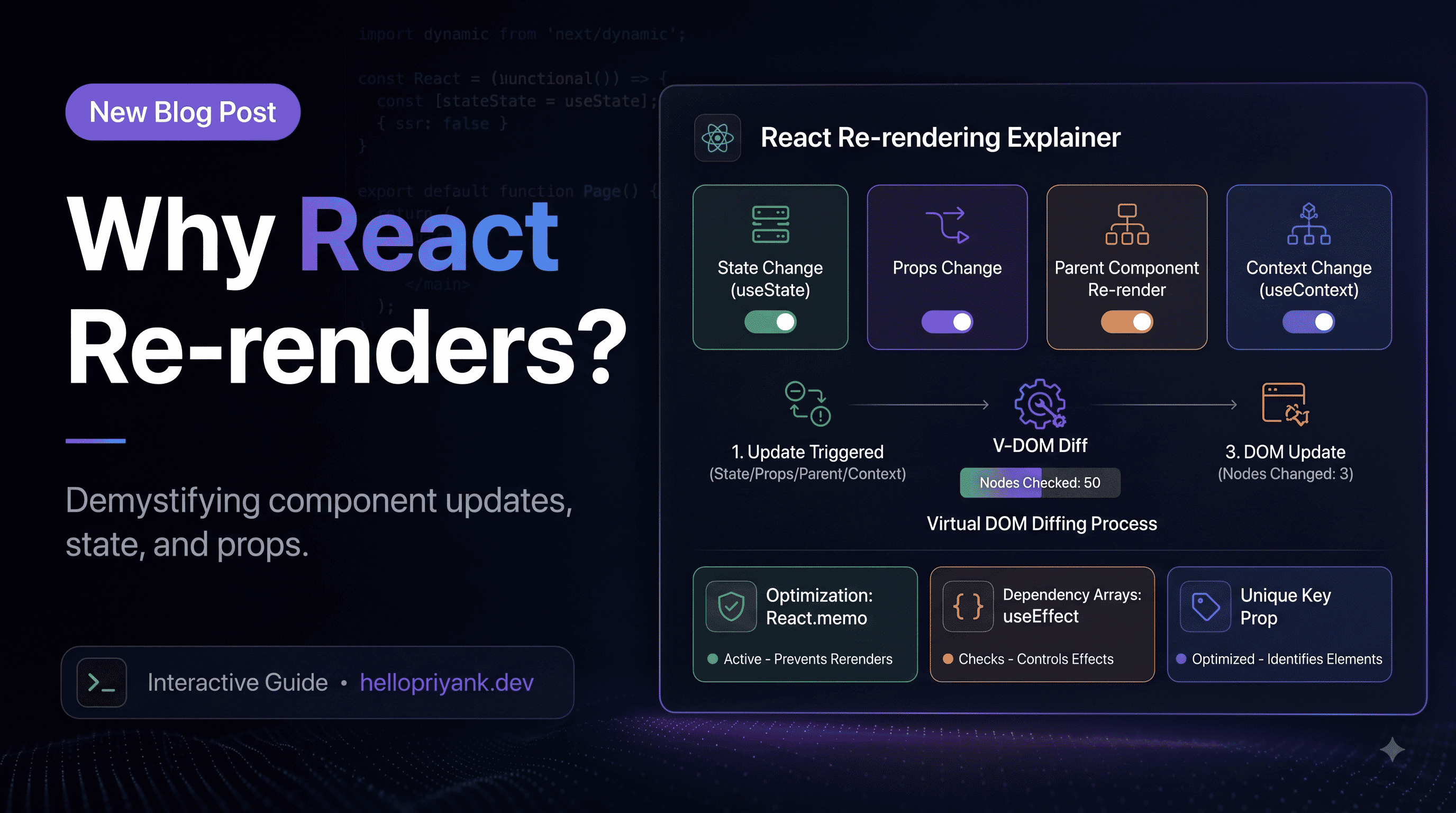
Most React re-renders come from four places. If you can identify which one is happening, the bug stops looking like sorcery and starts looking like normal engineering with slightly more sighing.
1. State changes
When a component's state changes, React re-renders that component. This is the classic trigger. You call setState, React schedules work, and your component function runs again with the new value.
2. Parent re-renders
When a parent component re-renders, React normally re-renders its children too. This does not mean the DOM changes for every child. It means React calls those child component functions to figure out whether anything changed.
3. Context value changes
Context is a broadcast system. When the provider's value changes, every component that reads that context is eligible to re-render. Context is lovely for shared state. It is also very good at making an entire dashboard blink if you put too much into one provider.
4. External store changes
Libraries like Redux, Zustand, Jotai, TanStack Query, and form libraries can trigger re-renders when their subscribed data changes. Good libraries try to keep this scoped. Bad subscriptions can still turn one tiny update into a full-family reunion.
03Why children re-render with parents
This is the part that surprises many developers: a child can re-render even when its props did not change. Why? Because React's default behavior is simple and predictable. If a parent renders, React walks into the children and asks them for their latest UI too.
Click the button. The parent state changes, so Parent renders. Because Child is inside Parent, React calls Child again too. The prop is the same string, so the DOM probably does not change, but the function still ran.
Is that bad?
Usually, no. Most component renders are cheap. A function call that returns a few JSX elements is not your villain. The problem starts when a child render performs expensive calculations, creates huge lists, formats large datasets, or causes effects that do more work than they should.
React.memo as a reflex. Memoization has its own cost: React has to compare props, and your code becomes harder to reason about. Use it when a component is expensive or re-renders often with the same props.04State updates, batching, and stale values
State updates are requests, not immediate mutations. Calling setCount does not instantly rewrite the count variable in the currently running function. It tells React, "Please render again with this new value soon." Very polite. Very easy to misunderstand.
You might expect this to add three. It adds one. Each call sees the same count value from the current render. If count is 0, all three calls are basically saying, "Set it to 1, please." React hears you. It just hears the same thing three times, like a meeting that could have been one sentence.
Use functional updates when the next value depends on the previous value
Now React queues three updates, each based on the latest queued value. The count goes up by three. Everyone claps. Somewhere, a stale closure quietly leaves the room.
React batches updates
React groups multiple state updates into a single render when it can. In modern React, batching works across event handlers, promises, timeouts, and many async paths. This is why several setState calls often produce one render instead of one render per call.
05Props, identity, and memoization
React compares many things by identity. For primitives like strings and numbers, this is simple. 42 is 42. Beautiful. No notes.
For objects, arrays, and functions, identity means reference. A new object literal creates a new reference. A new inline function creates a new reference. Even if the contents look identical, React sees a different thing.
ProductCard is memoized, but it still re-renders when quantity changes. Why? Because product and onBuy are recreated on every parent render. New references, new props, memoization defeated. The optimization walked into a glass door.
Stabilize values only when it matters
Now product and handleBuy keep the same identity across renders, so React.memo can actually skip the child render when only quantity changes.
useMemo is for expensive values, not emotional support
useMemo is useful when calculating a value is expensive or when a stable reference unlocks memoization in a child. It is not a magic "make fast" sticker. If the calculation is cheap, memoization may cost more than recalculating it.
06Context: the polite broadcast system
Context is wonderful until it is one giant object containing the current user, theme, locale, cart, sidebar state, notification count, and the emotional weather of the engineering team.
When the value passed to a context provider changes, every consumer of that context can re-render. If you put frequently changing data and rarely changing data in the same context, you force components to care about updates they never asked for.
If cartCount changes, the provider value object changes. ThemeLabel reads the context, so it can re-render even though it only cares about theme. This is how a shopping cart button accidentally bothers the theme label. Very rude, but technically legal.
Split context by update frequency
Now theme consumers re-render when theme changes, and cart consumers re-render when cart changes. The system is quieter. Components receive fewer unnecessary announcements. Everyone can finally hear themselves think.
Memoize provider values when needed
07Keys, remounts, and lost state
A re-render is not the same as a remount. During a re-render, React calls your component again but keeps its state. During a remount, React destroys the old component instance and creates a new one. State is reset. Effects clean up and run again. Somewhere, an input field loses focus and the user questions your professionalism.
Keys are how React identifies items in a list. Stable keys help React preserve component identity. Unstable keys make React throw away work.
Index keys are fine only for static lists that never reorder, insert, delete, or filter. For real lists, use a stable ID from the data. Otherwise React can confuse one item for another and preserve state in the wrong place. That is how a checkbox checked on one row appears checked on another row, which is the UI equivalent of putting salt in tea.
Changing a key forces a remount
Sometimes this is useful. If you want to reset a form when the selected user changes, using a key can be a clean, intentional reset.
When userId changes, React treats SettingsForm as a new component instance. Local form state resets. This is powerful, but use it deliberately. Random keys like Math.random() are not keys. They are tiny chaos machines.
08Strict Mode, effects, and debugging
Strict Mode double renders in development
In development, React Strict Mode intentionally calls some functions twice. This helps reveal impure rendering logic and effect cleanup bugs. It does not happen the same way in production. So if your console logs appear twice locally, React may not be broken. It may be holding a flashlight under the bed to find suspicious side effects.
Component render functions should be pure. Given the same props, state, and context, they should return the same JSX without changing the outside world. Fetching data, subscribing to events, writing localStorage, tracking analytics, and manually touching the DOM belong in effects or event handlers, not directly in render.
Effects run after commits
useEffect does not run during render. It runs after React commits changes to the screen. If an effect updates state, it can cause another render.
This is not always wrong, but it is often unnecessary. If count can be derived from items, derive it during render instead of storing it as separate state.
How to debug re-renders
The best debugging tool is React DevTools Profiler. It shows what rendered, how long it took, and why. Console logs are fine for quick checks, but the Profiler gives you the full crime scene without needing to sprinkle console.log everywhere like seasoning.
A helper like this can reveal that a supposedly stable prop is actually a new array, object, or callback every render. But use it temporarily. Debug helpers should not become permanent furniture unless they earn their rent.
09The practical optimization checklist
Here is the part I actually use while working on production React apps. Not every re-render matters. The goal is not "zero renders." The goal is "renders that are predictable, scoped, and cheap."
- First, measure. Use React DevTools Profiler before optimizing. Guessing is fun until you spend two hours memoizing the wrong button.
- Keep render pure. Do calculations and return JSX. Put side effects in effects or event handlers.
- Move state down. If only one small component needs state, do not store it at the page level and invite every sibling to the render party.
- Avoid duplicated derived state. If you can calculate it from existing props/state, calculate it.
- Split context by concern. Separate slow-changing values from fast-changing values.
- Stabilize expensive props. Use
useMemoanduseCallbackwhen stable identity actually helps. - Memoize expensive children. Use
React.memofor components that render often with unchanged props. - Use stable keys. IDs beat indexes for dynamic lists. Random keys are forbidden unless your goal is sadness.
- Virtualize huge lists. If you render thousands of rows, memoization is not enough. Do not render what the user cannot see.
10The mental model to keep
React re-renders when inputs to the UI change. Those inputs are state, props from a rendering parent, context, and subscribed external stores. Rendering is React recalculating the UI. Committing is React applying actual changes. Re-rendering is normal. Remounting is different. Memoization is a tool, not a personality.
If your app feels slow, do not start by fighting every render. Start by finding the expensive ones. Then reduce the amount of state that changes, move state closer to where it is needed, split broad context, stabilize props for memoized children, and virtualize large lists.
The best React code is not code that never re-renders. It is code where re-renders are boring. Predictable. Cheap. The UI updates, the user smiles, and your components do not behave like they found an espresso machine in the server room.